The two futures begin with the same illustrative history. From 2025, their lines separate as different choices take hold.
By 2035, the paths stand 28 index points apart. Follow the chart year by year to see how the difference grows.
The two futures begin with the same illustrative history. From 2025, their lines separate as different choices take hold.
By 2035, the paths stand 28 index points apart. Follow the chart year by year to see how the difference grows.
Sign in to create charts for articles, reports and websites. Start with a table or template, add annotations, then export an image or publish an interactive chart.
See uses for articles, reports and websites ↓
Use motion to reveal a trend or highlight a turning point. Replay the example to see how the chart introduces its data.
Choose a light or dark appearance and a chart palette to suit your page. Preview the result before exporting or publishing.
Readers shouldn’t have to guess the takeaway—it belongs directly inside the chart. Precise event lines, highlighted ranges, and inline annotations pinpoint divergence and outcomes, letting the graphic tell a complete story without external paragraphs.
Configure chart titles, labels and annotations for your readers. Preview each language to check line wrapping and placement.
Let readers explore values by hovering or tapping. Use supported Interactive SVG exports or publish an interactive chart for a compatible website.
BUILT FOR YOUR NEXT PUBLICATION
From annotations to visual encoding, see how one tool serves different kinds of stories.
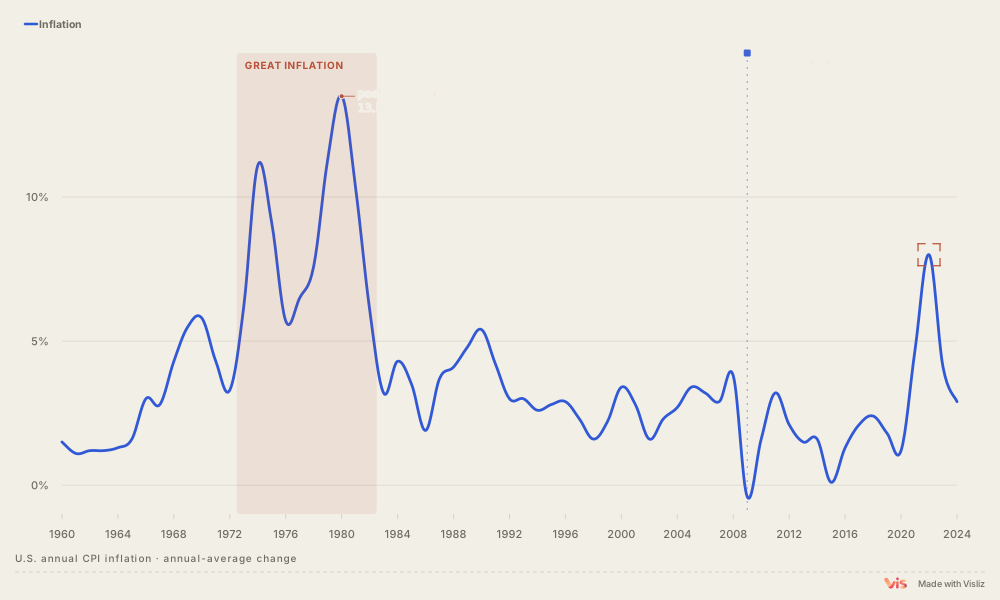
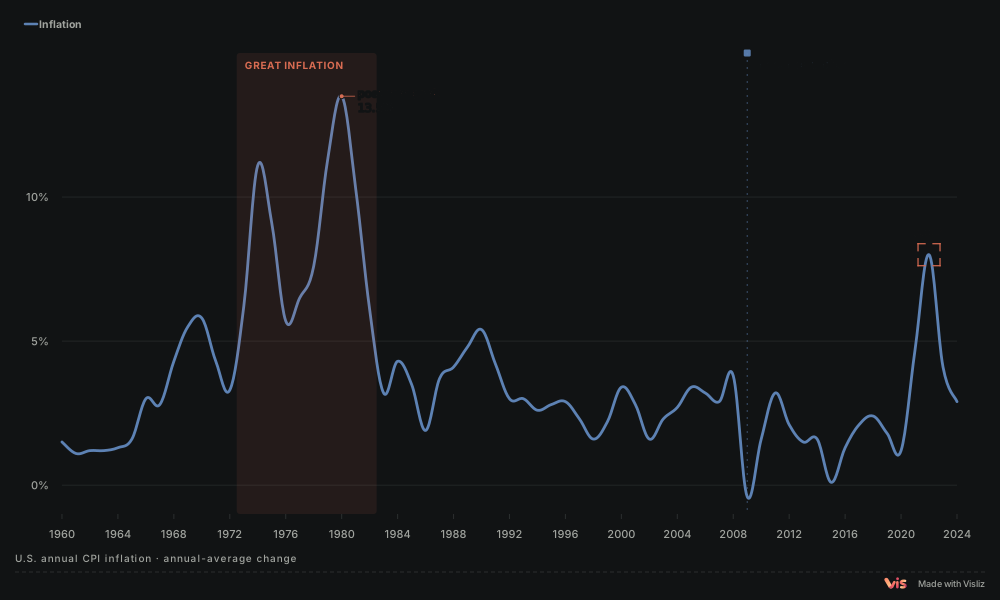
01 / FOR ARTICLES
Pair the trend with periods, peaks and key dates so readers know where to look.
Source · BLS / FRED
Make an annotated chart ↗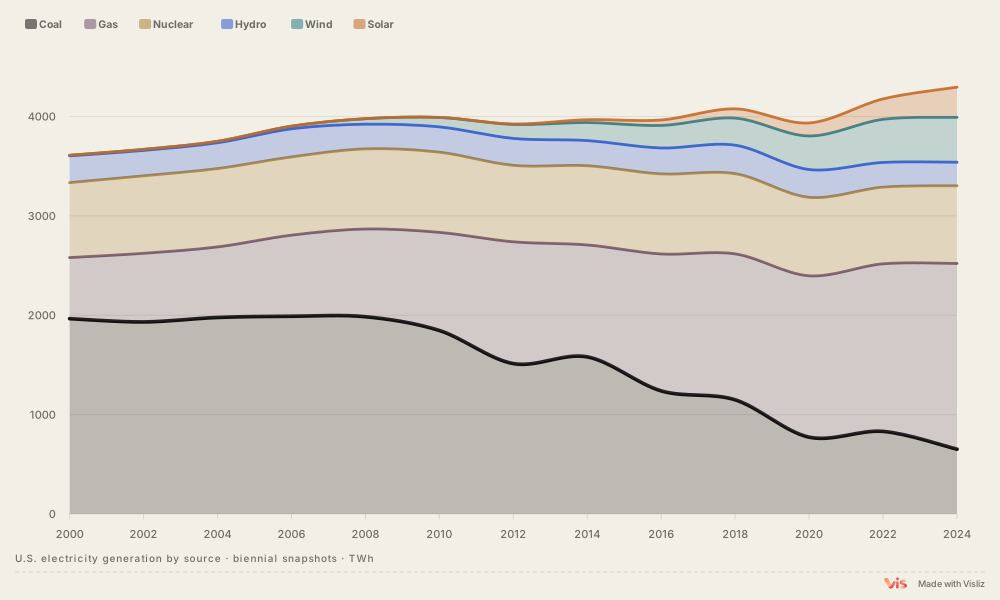
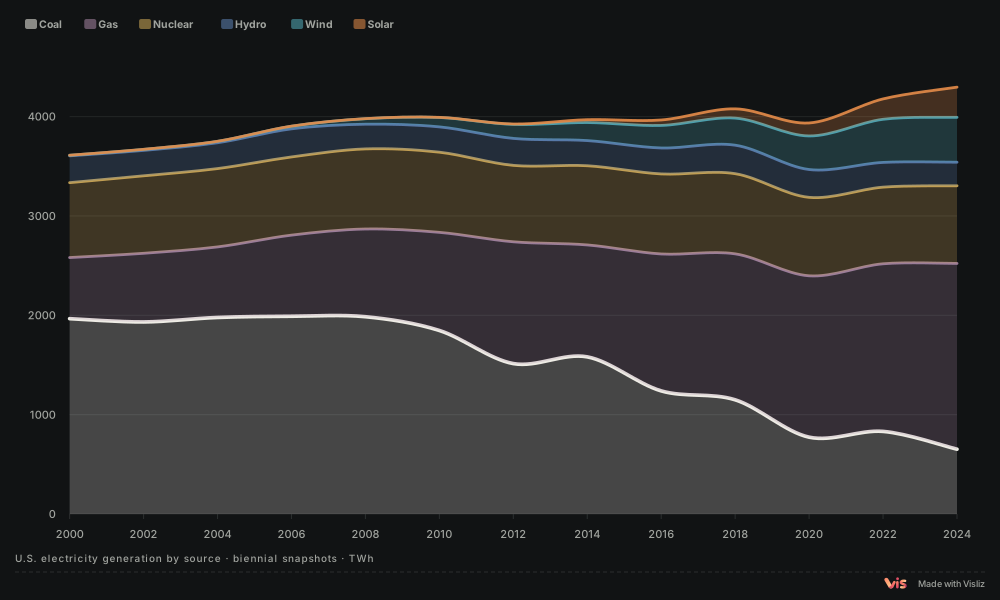
02 / FOR REPORTS
Keep the total in view while comparing six electricity sources on a shared timeline.
Source · Ember
Explore export formats ↗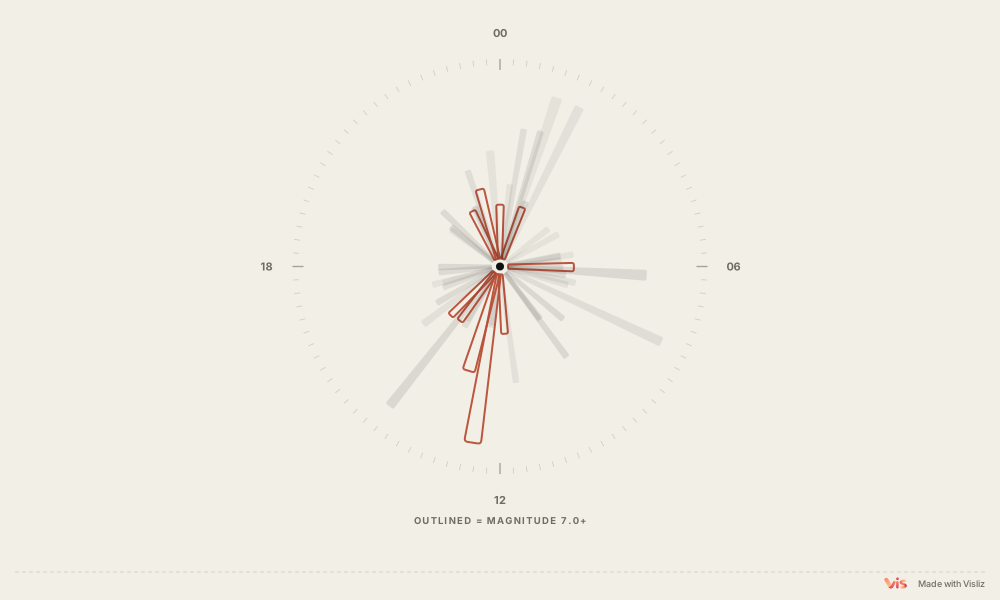
03 / FOR THE WEB
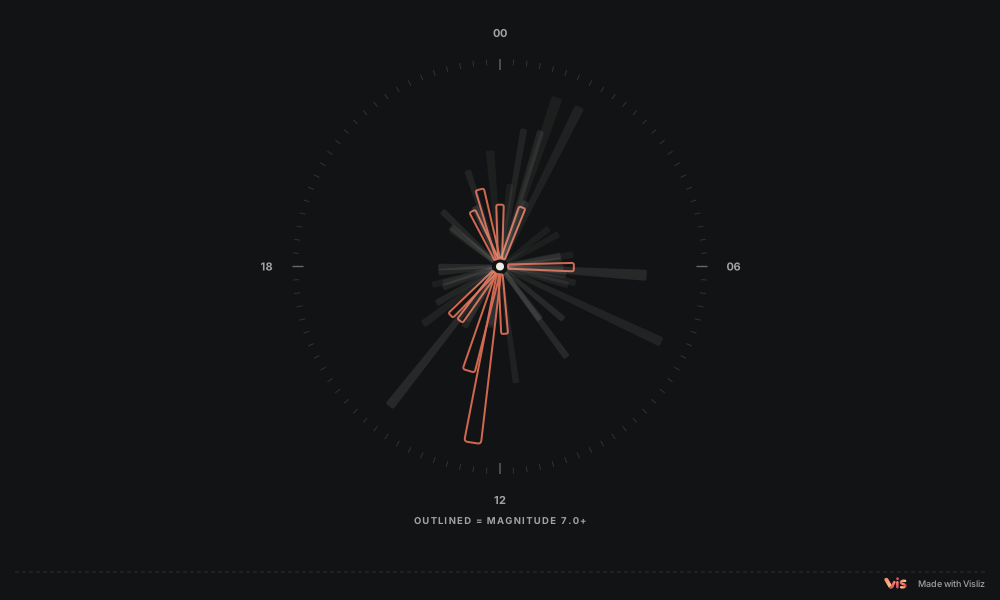
Encode date, magnitude and depth together. Published interactive charts let readers inspect individual events.
Source · USGS
Explore publishing and embeds ↗START WITH A QUESTION
01 / FLOWS
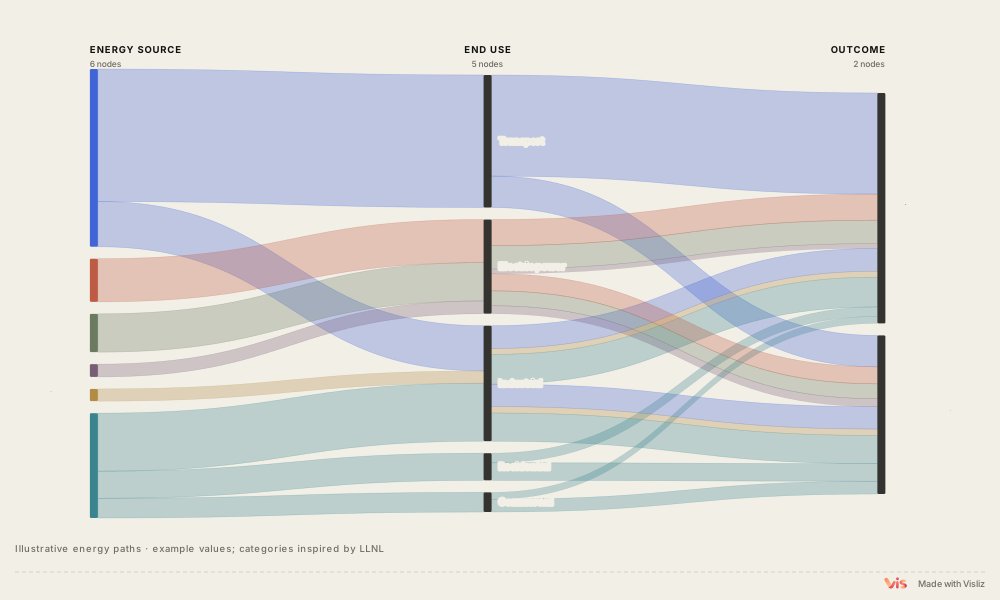
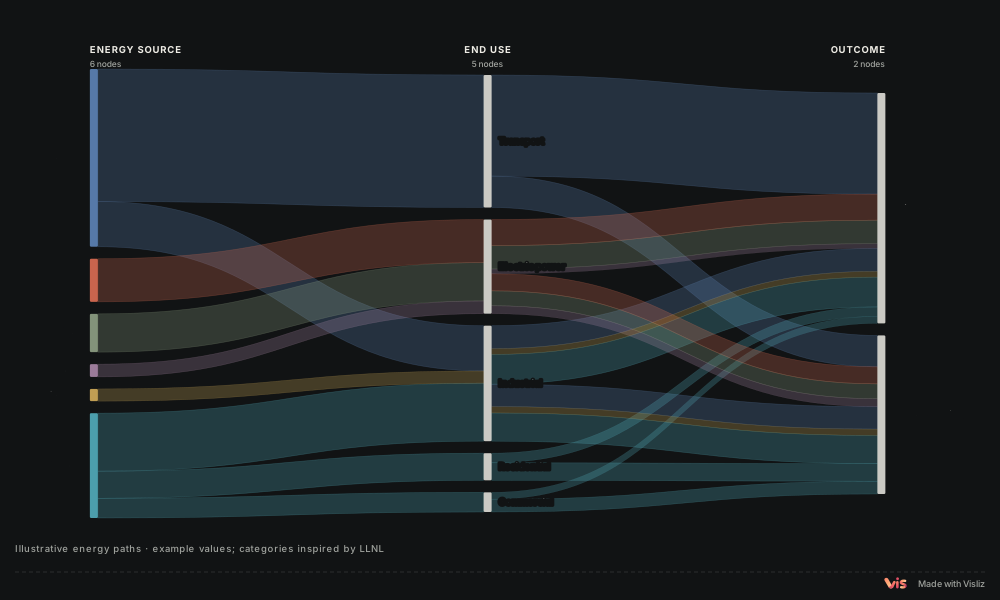
Trace a path through sources, uses and outcomes.
Source · Visliz
02 / RELATIONSHIPS
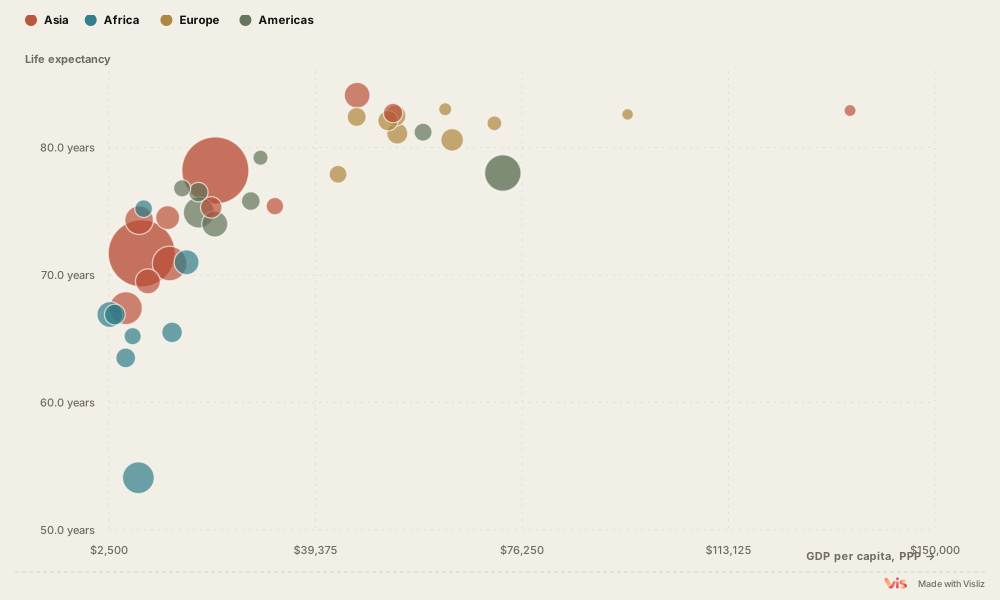
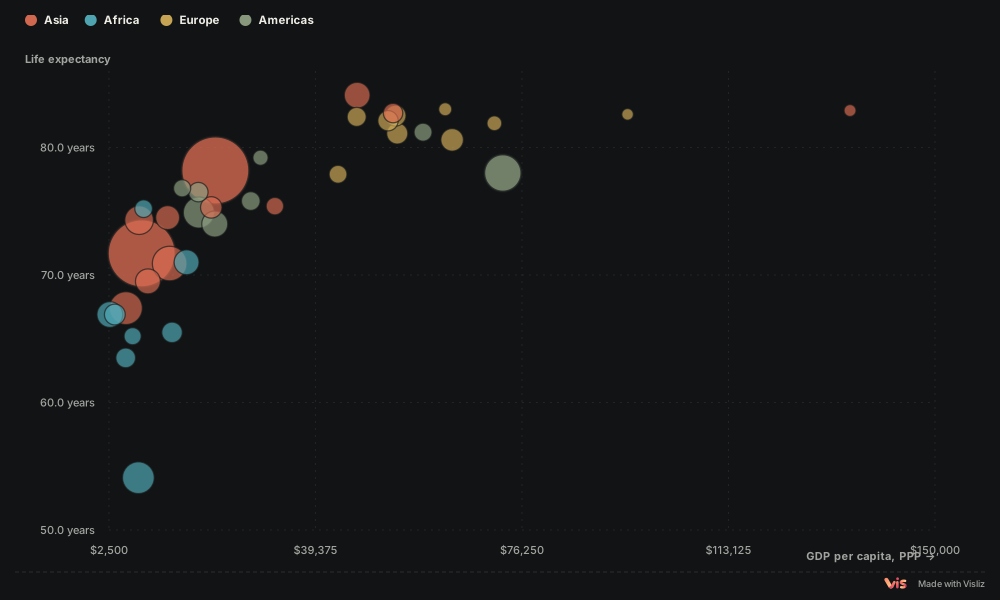
Use position, size and colour to compare several dimensions at once.
Source · World Bank / UN / Our World in Data
03 / RANKINGS
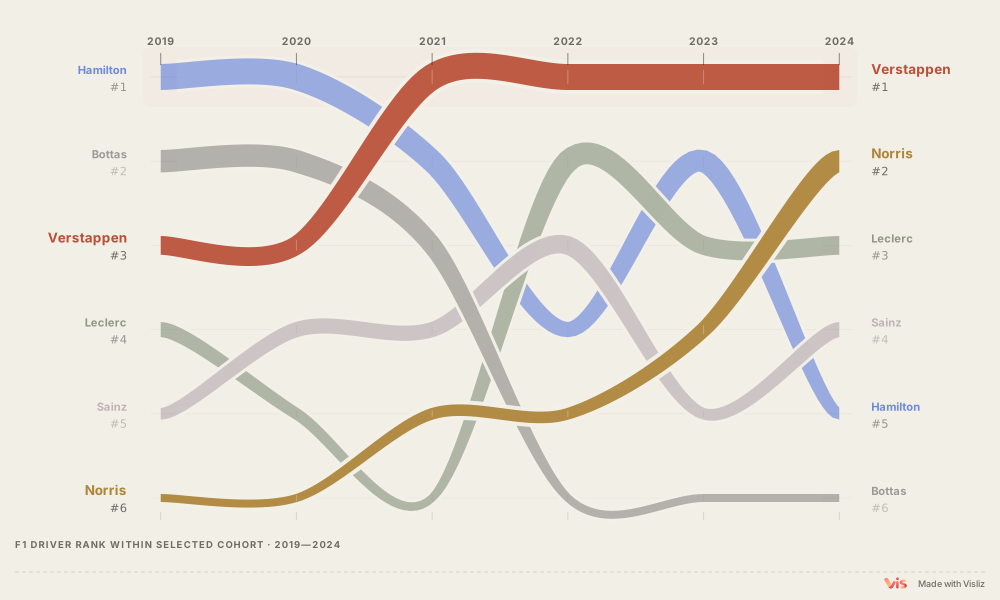
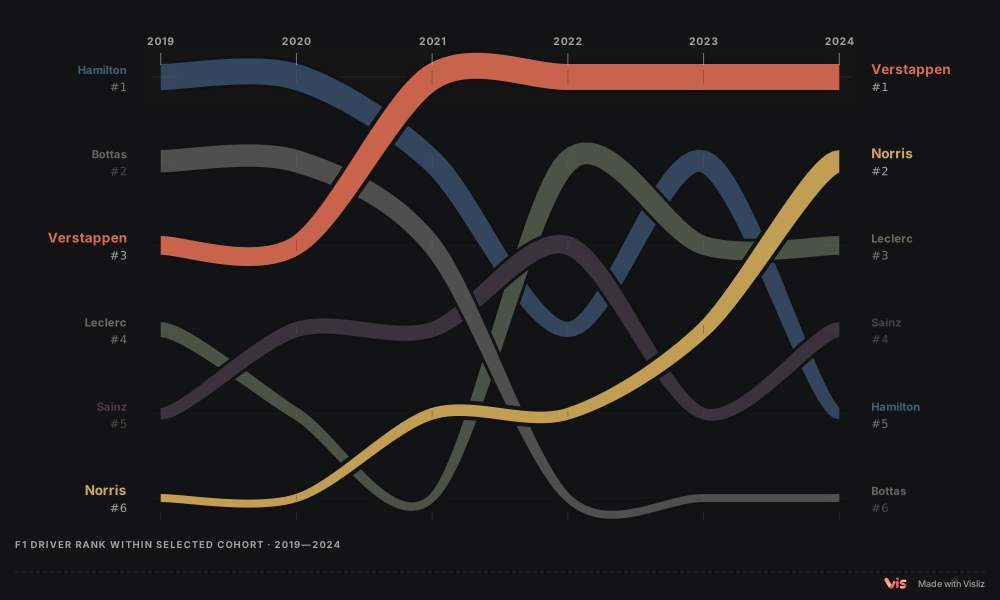
Connect annual rankings to follow the same group over time.
Source · Formula 1
Templates & guides ↗CSV to chart guide ↗Reproducible data cases ↗
Start free. Choose Pro for more monthly charts and publishing without Visliz attribution.
Everything you need to make and publish your first charts.
More room for charts you create each month.
Choose Free for a small set of charts. Choose Pro when you create more work each month or need public charts without Visliz attribution.
Free has space for five saved cloud charts in total. Pro counts charts created in the current billing month. For example, if you keep 80 new charts this month, you have 20 slots left. Deleting one of those 80 frees a slot. Charts from earlier months remain saved.
Pro costs US$99.99 per year, paid yearly, or US$9.99 per month, paid monthly. Both use the same monthly chart allowance. The yearly plan does not limit you to 100 charts for the whole year. Your billing month follows your subscription start date.
Cancelling stops future renewal and normally retains Pro until the stated end date. Saved charts remain available for editing and republishing. Once Pro ends, new charts follow Free limits and public publishing uses Free attribution.
Pro can remove the “Made with Visliz” attribution from public charts. Public links and embeds remain publicly accessible with either plan.