VISLIZ / Product features · Updated 2026-10-16
Interactive chart maker for tables and CSV
Turn a CSV table into a chart with annotations, SVG or PNG exports, and public web publishing.
Use this template ↗Download CSVDownload Interactive SVG

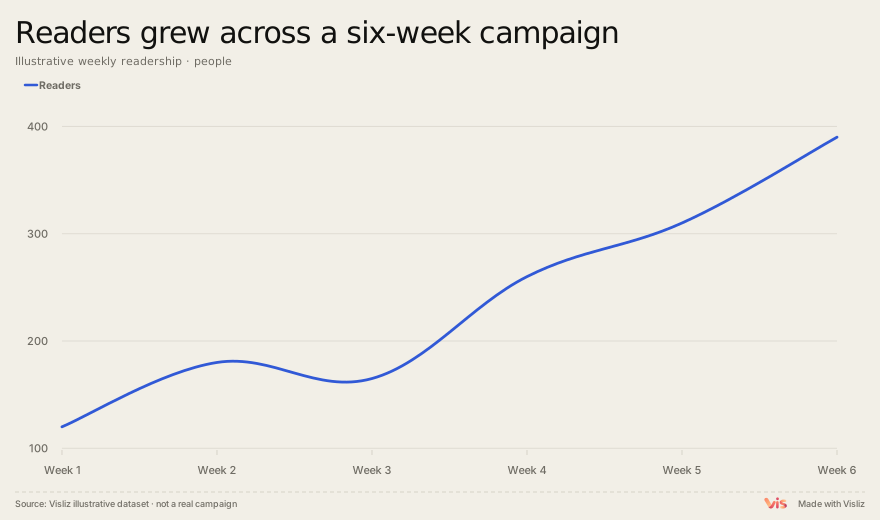
Play the exported chart
From table to a readable chart
Start from a line, bar, slope, donut or scatter template. Replace its table, inspect the detected columns and give the chart a title that answers a specific question. These starting points use transparent sample data; real-data cases below also provide their original source snapshots.
Add context and inspect the result
Use annotations to explain a turning point, an event or a range. Check labels and legends in mobile and desktop presets before exporting. Supported interactions depend on the chart type, so choose a format supported by the destination website or document.
Choose a delivery path
PNG is a static image. SVG keeps vector geometry. Interactive SVG carries supported interactions when the host permits scripts. Public publishing provides a link and generated iframe code; it is separate from a private editor URL.
Account, data and current limits
The current editor entry asks you to sign in. Cloud saving and publishing require an account. Public files may expose their included data, so review it before publishing. Start with your table or CSV and choose an export format for your destination.