VISLIZ / Product features · Updated 2026-10-16
Embed an interactive chart on a website
Publish a chart and copy its iframe to share interactive charts on blogs and websites that support embeds.
Use this template ↗Download CSVDownload Interactive SVG

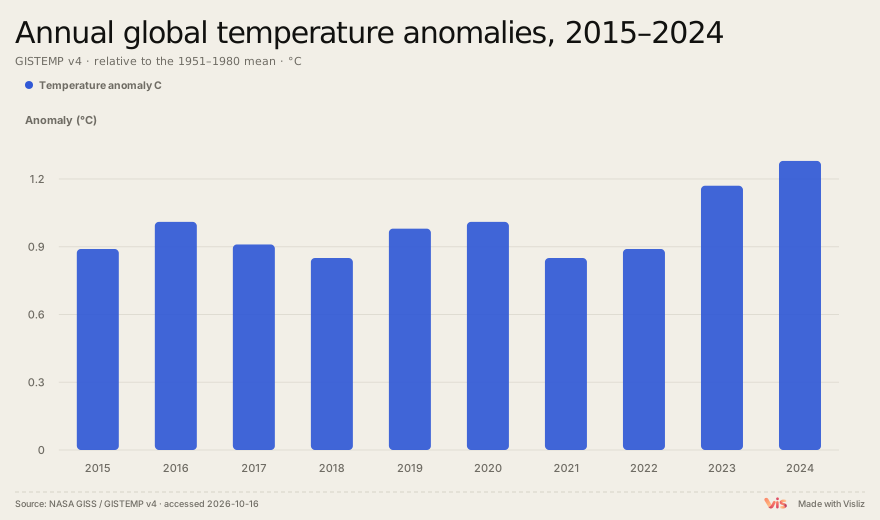
Play the exported chart
Publish a chart with a public address
Prepare the chart and review its data, title and source. Sign in, publish from the editor and copy the iframe from the delivery dialog. The example below demonstrates an exported chart inside an iframe.
Paste into a host that accepts HTML
Use the destination editor’s supported HTML or embed area. Check that the frame has a usable height and adapts to the page width. A blog platform may restrict iframe code, so consult its documentation instead of assuming every platform supports the same behavior.
Check updates at the existing URL
After changing and republishing a chart, open the original public URL and the destination embed. Browser or CDN caches can delay a visible update. Refresh the page if it still shows an earlier version. Use a static image where embeds are unavailable.
Keep private data out of public embeds
A public link is not an access-control mechanism. Readers can view, download and redistribute the chart and data included in it. Embedding depends on the destination website’s support for iframes and scripts.