VISLIZ / Templates · Updated 2026-10-16
Bar chart template
Make a clear category comparison with a bar chart template, downloadable CSV and export steps.
Use this template ↗Download CSVInteractive SVG

When to use it
Compare magnitudes across regions, products or other discrete groups.
Prepare your data
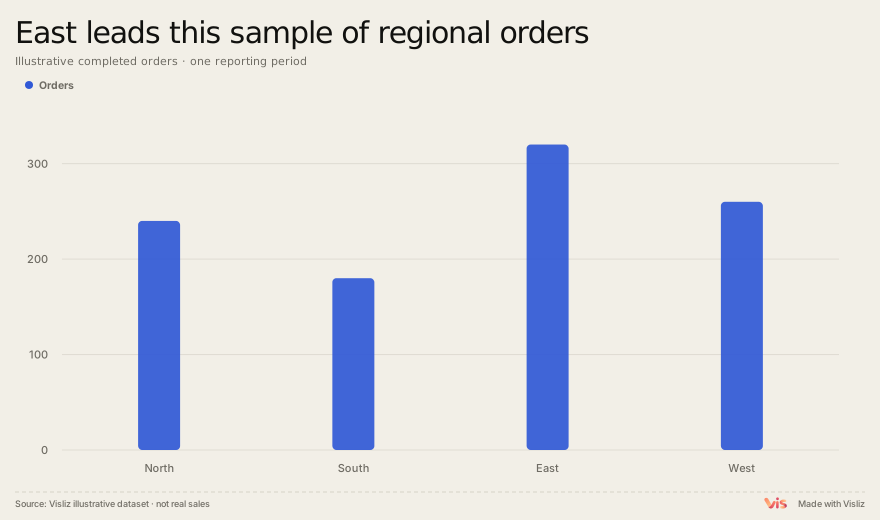
Use one label column and one numeric column. Keep the same reporting period and unit across categories, and preserve a zero baseline when comparing bar lengths.
Region,Orders
North,240
South,180
East,320
West,260
Make and deliver the chart
- Open this template and replace the sample table in the editor.
- Check units, labels, title, source and preview. Use the annotation controls where context is needed.
- Export SVG or PNG. For supported interactions, choose Interactive SVG. Sign in to open the editor, save to the cloud or publish a public link.
Limits and interpretation
A truncated baseline exaggerates bar-length differences. Too many groups make labels unreadable. Counts and rates answer different questions. Normalize only when the comparison calls for it.